
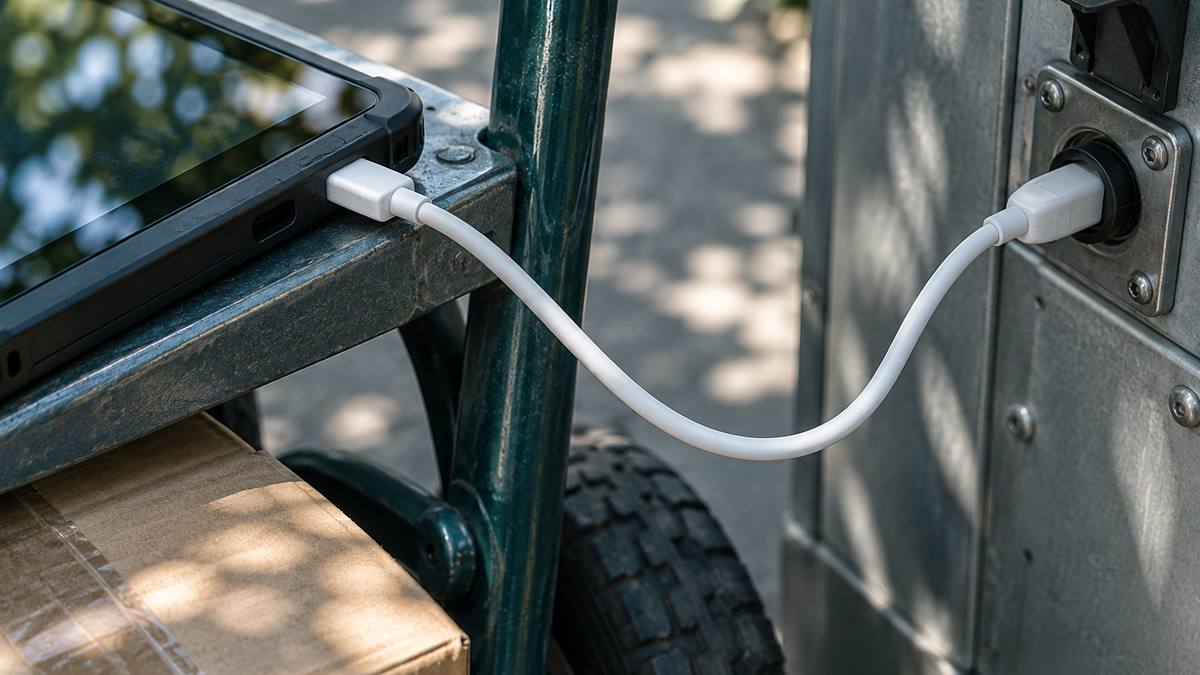
The short answer: an iPhone or iPad connects to a vending machine or grocery DEX port through an Apple-certified DEX cable plus a route accounting or DSD app that supports that cable. The phone’s own port decides the cable: Lightning devices use a cable such as Redpark’s DEX Cable (L2-DEX), and USB-C iPads and iPhones use the USB-C DEX Cable (C4-DEX). Both were listed at $79 on November 15, 2026. The cable is only half of the setup; the app has to be written to talk to it.
Route drivers in vending and direct store delivery (DSD) use DEX to pull machine audit data or exchange invoice data with a store’s receiving system. Many fleets have moved those workflows from rugged handhelds to iPhones and iPads, which raises a practical question: how do you get a DEX plug into a phone? Here is what to check.
What you need for an iPhone DEX connection
1. A cable that matches the device connector
Start with the devices your drivers actually carry. Redpark’s DEX product page lists two models with a male DEX plug on one end:
| Model | Device connector | iOS requirement (spec table) | Apple certification | Price |
|---|---|---|---|---|
| DEX Cable, L2-DEX | Lightning iPhones and iPads | iOS 12 or later | Made for iPhone (MFi) | $79 |
| USB-C DEX Cable, C4-DEX | USB-C iPads and iPhones | iOS 14 or later | Made for iPad (MFi) | $79 |
Both list a maximum baud rate of 115 Kbps and a one-year warranty. The USB-C model is listed at 53 inches long. If your fleet mixes older Lightning phones with newer USB-C devices, plan for both part numbers during the transition.
2. Apple MFi certification
iOS restricts which wired accessories apps can communicate with. Accessories built under Apple’s MFi program are certified to work with iPhone and iPad. Redpark states both DEX cables are MFi certified, which is what lets a compliant app exchange serial data with the port.
3. An app that supports the cable
This is where most projects succeed or stall. Redpark’s FAQ names apps available for its DEX cable: eoTouch from Rutherford and Associates, DSD Manager from Integrasys, Vendmine from Vendwatch Telematics and VIP Route Accounting from Vermont Information Processing. If your route software is not on that list, ask the vendor directly whether it supports the cable before you buy hardware in volume.
4. Or build your own integration
Teams with in-house developers can use Redpark’s free Serial SDK, which supports Objective-C and Swift and covers both DEX cables along with Redpark’s serial and console cables. One detail matters for distribution: under current Apple MFi policy as described by Redpark, apps built for the DEX or console cables may be published on the public App Store, while apps for the Serial Cable or Serial + Power Adapter are limited to private deployment or Apple Business Manager and Apple School Manager. For Android tablets with USB-C, Redpark says the app developer must specifically support the C4-DEX.
Rolling it out to drivers
- Pilot first. Test a handful of cables with your app, devices and the machine models on your busiest routes.
- Check cases. Redpark’s troubleshooting notes that a phone case can stop the connector seating fully, a common field issue with rugged cases.
- Teach the quick check. When the cable is connected and detected, it appears near the bottom of Settings, General, About. If it shows there and data still fails, the app’s communication settings (baud rate, parity) are the next thing to check.
- Keep spares. Cables in daily route use get bent and pulled. Redpark’s one-year warranty covers testing returned cables.
Limitations
- Redpark’s pages differ in places: the Lightning L2-DEX page lists a 6 ft length in its spec table while the category page shows 53 inches, and the FAQ cites an older iOS version than the spec table. Confirm length and iOS requirements with Redpark before a large order.
- The cable does not make an unsupported app work. Compatibility depends on the app, the device and the DEX equipment.
- Prices on product pages are list prices. Ask about volume terms for fleet rollouts.
Next step
List your driver devices by connector and iOS version, confirm your route accounting app supports the Redpark DEX cable, then order a small pilot batch. If you need a different connector or protocol, Redpark’s engineering team builds custom MFi cables, though it notes new models need Apple approval that takes a minimum of 3 to 4 months and typically production runs of at least 1,000 units. For setup problems, start with the Redpark support page.
FAQ
Can I use a generic USB-C adapter for DEX?
Not reliably. The app must be able to recognize and communicate with the accessory, which is why certified DEX cables paired with supporting apps are the standard route.
Does the same cable work with iPhone and iPad?
Yes, as long as the connector matches. The L2-DEX is for Lightning iPhones and iPads; the C4-DEX is for USB-C iPads and iPhones.
Some of the brands mentioned in this article may have a prior working engagement with this publication.